PRINTER PRODUCTS - XEROX
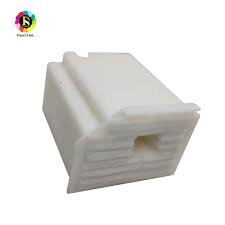
WASTE INK PAD EPSON L3110
SKU: PRD-260114-1D33
WASTE INK PAD
₹220.00
₹390.00
per piece
Minimum Order:
1 piece
Stock Status:
In Stock (10000000 available)
Product Description
Once you have the new physical pad, you will need to replace the old one and reset the printer's internal waste ink counter.
Locate and replace the pad: The waste ink pad is typically located at the rear right corner or the base of the printer. You need to open the compartment, remove the old pads, insert the new ones, and secure the cover.
Reset the counter: After the physical replacement, the printer will still show a "service required" or "waste ink pad full" error until the internal counter is reset. This usually requires specialized software (an "adjustment program" or "resetter") which can be found online.
Locate and replace the pad: The waste ink pad is typically located at the rear right corner or the base of the printer. You need to open the compartment, remove the old pads, insert the new ones, and secure the cover.
Reset the counter: After the physical replacement, the printer will still show a "service required" or "waste ink pad full" error until the internal counter is reset. This usually requires specialized software (an "adjustment program" or "resetter") which can be found online.
Related Products